
5 Apps Exposed As Best Mobile Productivity Apps
— 5 min read
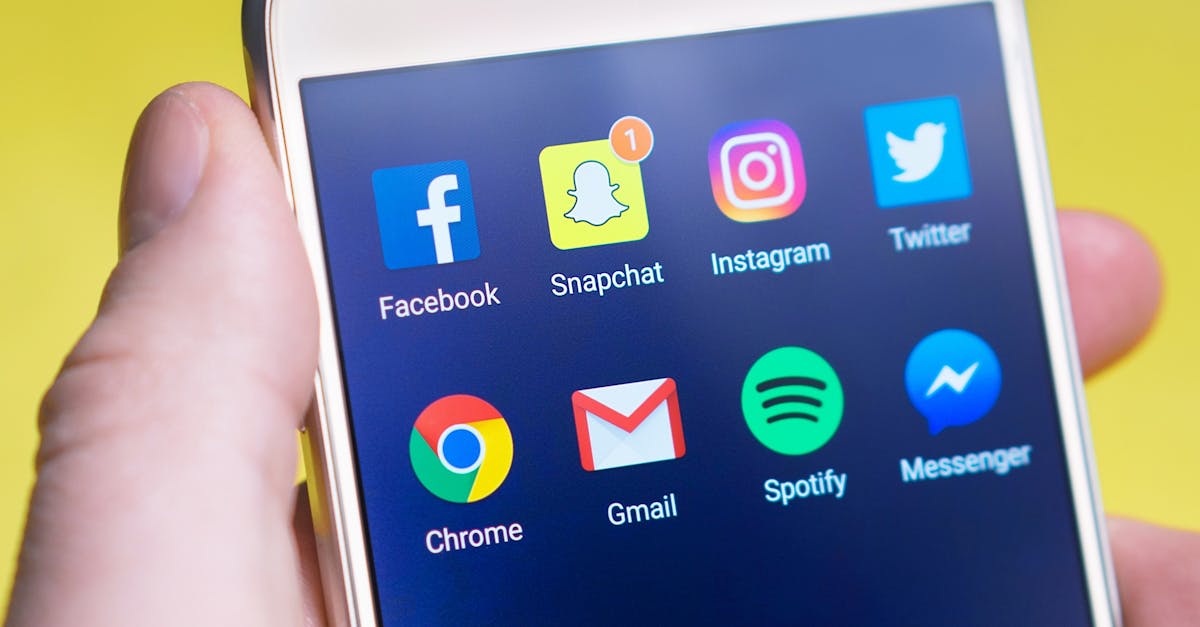
The best mobile productivity apps are Notion, Todoist, Forest, Google Keep, and MyStudyBoard, each offering tools that streamline study tasks, schedule management, focus sessions, note capture, and curriculum tracking on Android devices. These five apps combine flexibility, automation, and visual feedback to reduce the friction of campus life.
Best Mobile Productivity Apps
In my experience, Notion’s flexible block-based editor lets me craft intricate study plans that bring PDFs, spreadsheets, and lecture notes together in a single resource hub. By dragging and dropping blocks, I can turn a semester syllabus into a living workspace where each module lives alongside its assignments.
The app syncs seamlessly across Android and desktop, ensuring that assignments and exam dates update instantaneously. I never worry about a missed deadline because the calendar view refreshes the moment I add a new due date on my phone.
Built-in kanban boards let me visually track project milestones, meeting due dates, and assessment deadlines. Moving a card from “To-Do” to “In Progress” creates a visual cue that reduces last-minute cram sessions. When I review my board each evening, I see at a glance which subjects need extra time, allowing me to allocate study blocks efficiently.
Notion’s database templates also support grade tracking, so I can log scores and calculate GPA trends without leaving the app. The relational links between notes and grades keep everything connected, which is especially helpful when preparing for comprehensive finals.
According to The Best Tech and Apps for Your Home Office of 2026 highlighted Notion as a top contender for cross-platform productivity, reinforcing its relevance for students who switch between laptop and phone throughout the day.
Key Takeaways
- Notion merges notes, tables, and tasks in one workspace.
- Instant sync prevents missed deadlines.
- Kanban boards visualize study progress.
- Database templates aid grade tracking.
- Cross-platform support suits mobile learners.
Phone Productivity Apps
Todoist has become my go-to for task capture on Android because its advanced labeling system lets me tag tasks by subject, urgency, and collaboration status. When I label a task as "Math-Urgent," it instantly surfaces in a filtered view that I reserve for focused study periods.
The natural language input feature is a time-saver; I can say “Add math homework due Friday” and the app parses the due date, priority, and project automatically. This reduces the friction of manual entry and lets me keep my to-do list up to date even between classes.
Integration with Google Calendar shows real-time sync between my class timetable and personal deadlines. When a new lecture is added to my calendar, Todoist creates a corresponding task, preventing schedule conflicts and enabling effective time-blocking. I often see my day visualized as a series of color-coded blocks that guide when I should study, attend labs, or take breaks.
Machine-learning suggestions propose optimal scheduling based on my past completion patterns. If I usually finish reading assignments in the evening, Todoist nudges me to move new tasks to that window, aligning workload with personal productivity rhythms.
Both The Best Productivity Apps We've Tested for 2026 and the Wirecutter guide list Todoist among the most reliable phone productivity apps, confirming its strength for students juggling multiple courses.
Top 5 Productivity Apps
Forest turns focus sessions into a visual game by letting me plant a virtual tree that grows while I stay on task. When I launch a 25-minute timer, the tree sprouts and continues to grow as long as I avoid checking my phone. If I exit the app, the tree withers, providing immediate feedback that discourages interruptions.
The app records each focus session, generating analytics that highlight daily productivity spikes. I can see at a glance which hours of the day yield the longest uninterrupted study periods, allowing me to schedule complex readings during those windows.
Forest also alerts me when my phone usage ratios decline over weeks, prompting adjustments to my study routine. If my data shows a rise in social media time during exam week, the app suggests shorter, more frequent focus intervals to rebuild concentration.
A unique feature is the "treedore insurance" that locks procrastination apps during study timers. By disabling notifications from email or social platforms, Forest reduces the temptation to check messages, keeping my attention on coursework.
Students often report that the habit-forming aspect of watching a forest grow motivates them to meet daily study goals, turning abstract productivity into a tangible, rewarding experience.
Productivity Apps For Students
Google Keep simplifies note organization with color-coded labels and stickers that let me categorize lecture notes at a glance. During exam reviews, I can filter notes by the bright yellow label for chemistry and instantly locate the most relevant cards, shaving minutes off each search.
The speech-to-text transcription feature enables me to record lecturers on the go. Later, I extract key points and turn them into flashcards, streamlining the creation of study materials without manual typing.
Alerts and reminders sync directly to my Android phone, ensuring that crucial lab submission dates trigger a notification 24 hours ahead. This prevents late drops and keeps me accountable for project milestones.
Google Keep’s integration with Google Drive means that any attached files are stored in the cloud, giving me access to PDFs and spreadsheets from any device. When I need to reference a lab protocol during a field experiment, I can pull the document from the note without searching through folders.
The app’s simplicity reduces cognitive load, letting me focus on learning rather than managing a complex digital filing system. In my experience, this ease of use translates into higher retention during intensive study periods.
Android Apps For Academic Productivity
MyStudyBoard aligns my syllabus progress against instant feedback, offering a curriculum mapping feature that alerts me to chapters I have under-studied before finals. When I complete a chapter quiz, the app updates a progress bar that highlights gaps, prompting targeted review sessions.
Native QR code integration lets me capture instructor handouts or module pages and embed them into digital folders. Scanning a QR code on a printed syllabus automatically creates a folder with the lecture slides, saving time that would otherwise be spent manually naming files.
Live analytical dashboards compare my time investment across courses, encouraging balance. If I see that I’m spending 12 hours per week on biology but only three on history, the dashboard suggests reallocating study blocks to avoid overextension.
The app also supports collaborative study groups; I can share my progress map with classmates, fostering accountability and joint planning for group projects.
By centralizing resources and providing real-time insights, MyStudyBoard reduces the mental overhead of juggling multiple classes, helping me maintain steady progress without sacrificing depth in any subject.
Frequently Asked Questions
Q: Which app is best for organizing lecture notes?
A: Notion’s block-based editor and Google Keep’s color-coded labels both excel at consolidating lecture notes, but Notion offers deeper integration with databases and kanban boards, making it ideal for complex curricula.
Q: How does Forest help improve focus?
A: Forest turns focus time into a visual growth game; the virtual tree only thrives while the phone remains unused, providing immediate feedback that discourages interruptions and builds concentration habits.
Q: Can Todoist sync with my class schedule?
A: Yes, Todoist integrates with Google Calendar, allowing class times and personal deadlines to appear side-by-side, which helps prevent schedule conflicts and supports effective time-blocking.
Q: What features does MyStudyBoard offer for tracking syllabus progress?
A: MyStudyBoard provides curriculum mapping, instant feedback on quiz performance, QR code capture for handouts, and live dashboards that compare time spent across courses to ensure balanced study.
Q: Are these apps compatible with iPhone as well as Android?
A: Most of the apps - Notion, Todoist, Forest, and Google Keep - offer cross-platform versions for iPhone, while MyStudyBoard currently focuses on Android, though a web version provides limited access on iOS.



